반응형

2022/06 3

EBS 볼륨 파일 시스템 확장

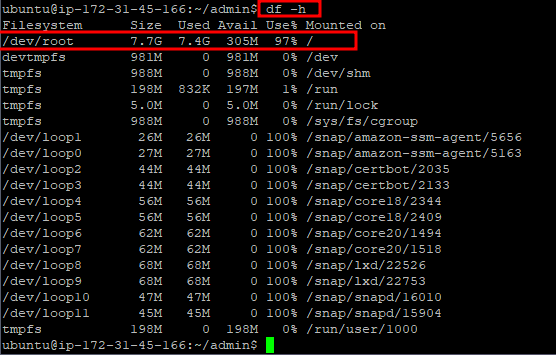
각 볼륨의 사용중인 파일 시스템을 확인(dh -hT) 볼륨에 확장해야 하는 파티션을 확인(lsblk) xvda라는 루트 볼륨에 xvda1이라는 파티션이 존재하는 것을 확인 볼륨크기만큼 파티션을 늘리기 (sudo growpart /dev/xvda 1) 파티션에 늘어난 볼륨 크기가 반영되었는지 확인(lsblk) [ex4볼륨]의 파일 시스템을 확장 (sudo r esize2fs /dev/xvda1) 최종적으로 파일 시스템에 늘어난 볼륨 크기 반영되었는지 확인(dh -h) 참고:https://docs.aws.amazon.com/ko_kr/AWSEC2/latest/UserGuide/recognize-expanded-volume-linux.html
DEVELOPMENT 2022.06.30

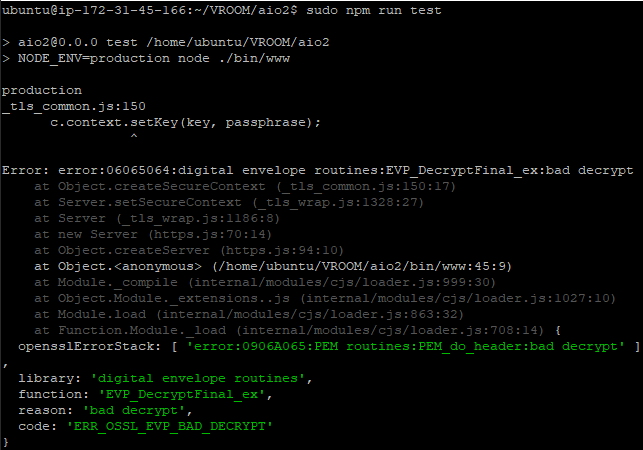
SSL error: asn1 encoding routines: wrong tag 해결

다른 기관에서 받은 인증서를 등록해 줄 일이 생겼다. const https = require('https'); const fs = require('fs'); const options = { key: fs.readFileSync('인증서경로/sslcert.co.kr_xxxxx.key.pem'), (개인키 지정) cert: fs.readFileSync('인증서경로/sslcert.co.kr_xxxxx.crt.pem'), (서버인증서 지정) ca: fs.readFileSync('인증서경로/ca-chain-bundle.pem'), (루트체인 지정) minVersion: "TLSv1.2" (서버 환경에 따라 선택적 적용) }; https.createServer(options, (req, res) => { res.w..

DEVELOPMENT 2022.06.23

you do not have the SUPER privilege 에러 처리

Mysql Trigger를 설정하다가 다음과 같은 오류가 발생했다. You do not have the SUPER privilege and binary loggin is enabled(you might want to use the less afe log_bin_trust_function_creators variable) 이는 해당 계정이 trigger 권한이 있더라도 해당 설정에 따라 트리거를 생성하지 못하도록 처리가 되어 나타난다고 한다. 이럴 때는 mysql을 root 계정으로 접근하여 아래와 같이 입력하면 된다. set global log_bin_trust_function_creators=on; 이렇게 하면 트리거 생성이 가능하게 되고, 다시 되돌릴 때는 다시 off로 설정해주면 된다.

반응형